
 Website audit
 SEO audit
 Technical audit
 UX & Conversion audit
 AI/LLM Visibility audit
 Ecommerce audit
This started as a Reddit post where we shared early findings from the first batch of SaaS site audits. The discussion took off, people recognized the same patterns on their own sites, and it pushed us to keep going. After analyzing 30 SaaS websites in total, the same issues kept repeating - almost without exception.
They're fundamental problems that quietly kill organic growth, reduce visibility in AI-generated answers, and hurt conversions. Roughly 20 out of 30 sites we audited had most of them.
The 10 Most Common Issues
| # | Issue | Impact Level |
|---|---|---|
| 1 | Key content rendered via JavaScript only | 🔴 Critical |
| 2 | Missing canonical tags | 🔴 Critical |
| 3 | No H1 or broken heading structure | 🟠 High |
| 4 | No schema markup | 🟠 High |
| 5 | No social proof | 🟠 High |
| 6 | No contact info or company description | 🟠 High |
| 7 | Too many JavaScript files (slow load) | 🟠 High |
| 8 | No pricing page or visible pricing block | 🟠 High |
| 9 | No FAQ section or FAQ page | 🟡 Medium-High |
| 10 | Missing robots.txt or sitemap.xml | 🔴 Critical |
1. Key Content Is Rendered via JavaScript Only
This is the most widespread problem we found across SaaS marketing sites - and one of the most damaging.
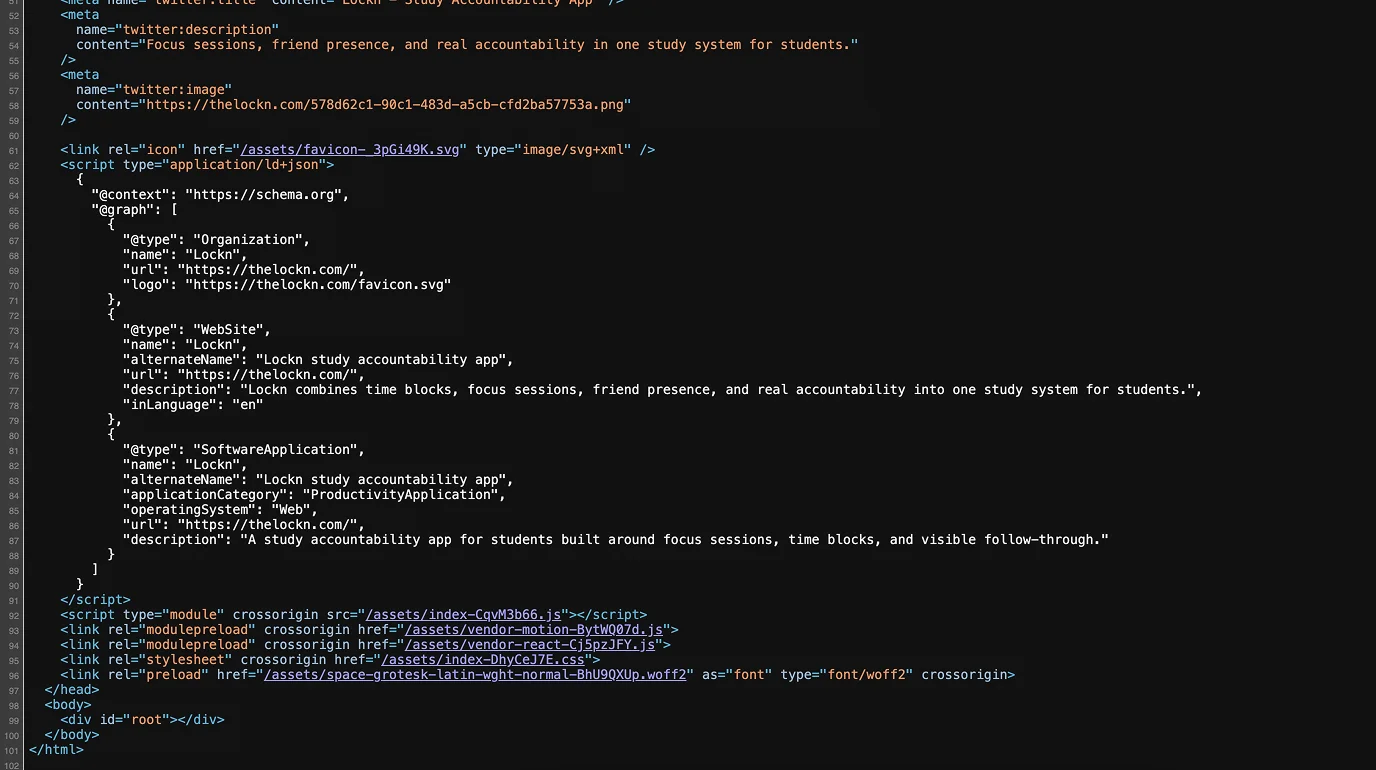
When your main content (headlines, features, benefits, pricing info, FAQs) only appears after JavaScript executes, search engine crawlers and AI bots often see a nearly empty page. Visually, your site looks great. But in the raw HTML? Almost nothing useful exists.
Google can process JavaScript, but it's not instant, not guaranteed, and always secondary to static HTML. AI crawlers like GPTBot and PerplexityBot typically don't execute JS at all - meaning your content is invisible to them by default.
How to check
- Right-click → View Page Source on your key landing pages
- Compare raw HTML vs. rendered HTML using Screaming Frog's "Rendered Page" report - it shows exactly what the crawler sees after JS execution vs. what's in the static source
How to fix
- Move critical content to server-side rendering (SSR) or static generation (SSG)
- At minimum, ensure headings, key copy, pricing, and FAQs are present in the static HTML
2. Missing Canonical Tags
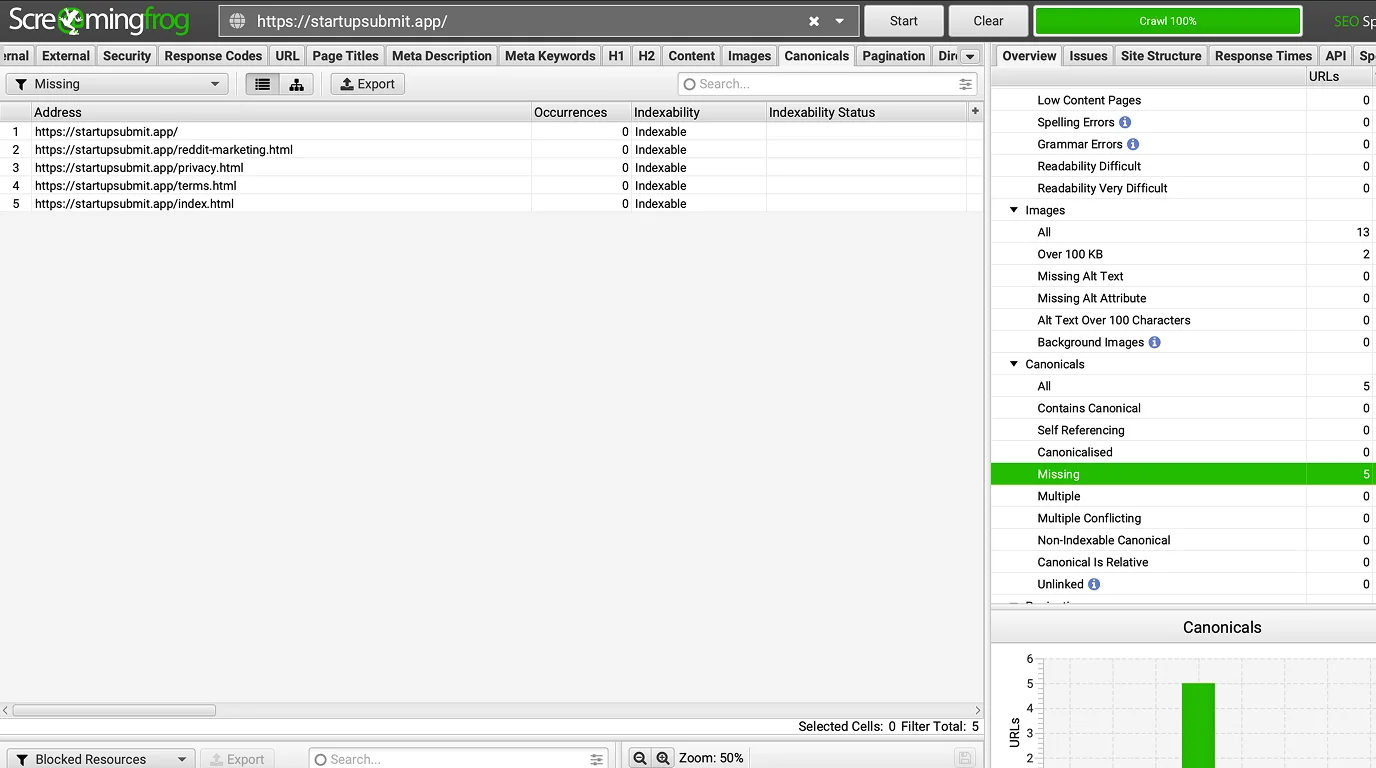
SaaS sites generate duplicate content almost by default: UTM-tagged URLs from ad campaigns, A/B test variants, similar feature pages, integration pages, and regional copies all create competing versions of the same content.
Without canonical tags, Google decides which version to index - and that decision may not align with your actual priority pages. Link equity gets diluted, ranking power splits across duplicates, and pages end up competing against each other.
How to check
- Run a site crawl in Screaming Frog and filter for "Missing" in the Canonical column
- Check for canonical chains or conflicts with noindex directives in the same report
How to fix
- Add a self-referencing canonical to every indexable page
- For duplicate and parameter-based URLs, point canonical to the primary version
- Audit your CMS templates to ensure canonicals are generated correctly site-wide
3. No H1 Tag or Broken Heading Structure
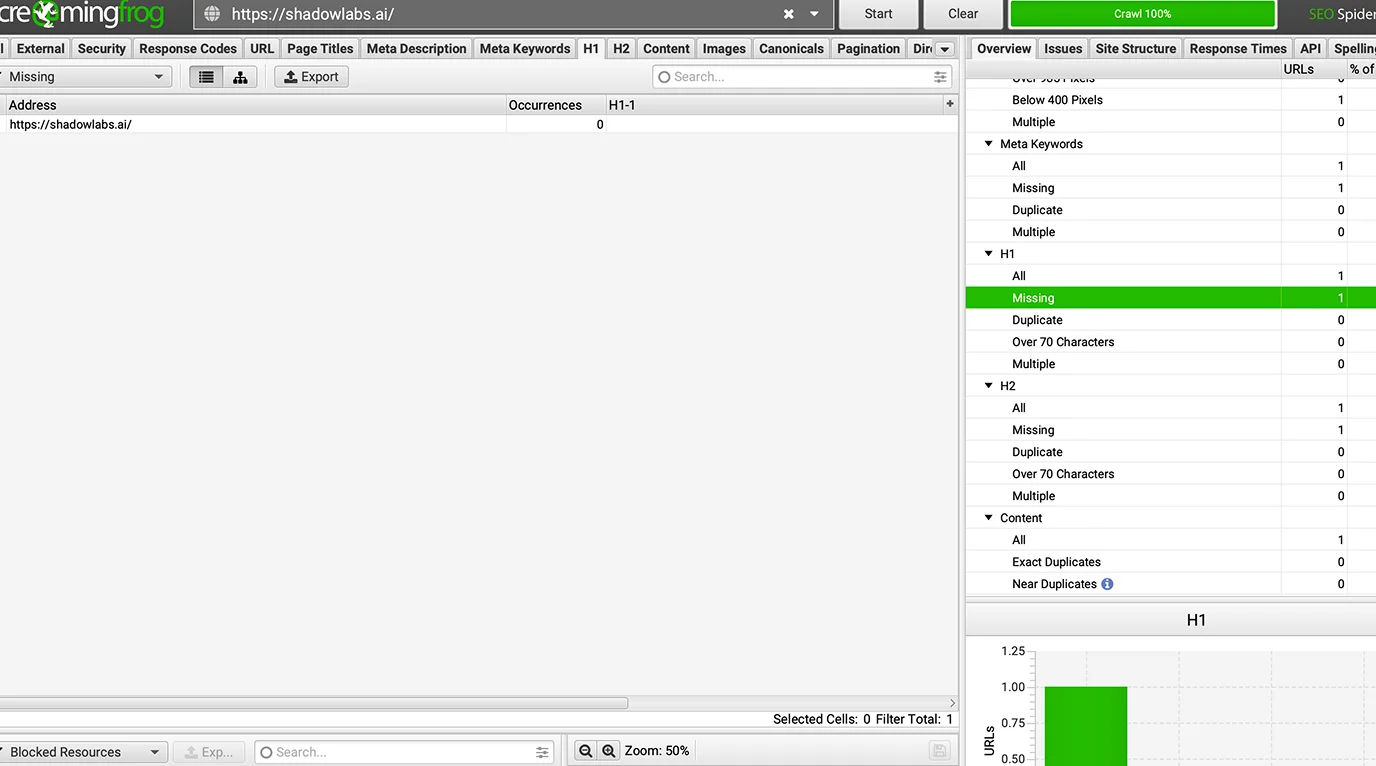
On many SaaS sites we audited, headings are built from visual components rather than semantic HTML. The result: a visually polished hero section with no actual H1, multiple H1s on the same page, or headings that skip from H1 straight to H3.
Search engines use heading structure to understand what a page is about. AI systems do the same when extracting content. A page without a clear H1 has a much harder time communicating its core topic - and that directly affects how it ranks.
How to check
- Use Screaming Frog's Content tab to export H1 data across all pages
- Filter for missing H1s, duplicate H1s, and pages where H1 matches the title tag too closely
How to fix
- One H1 per page - make it descriptive and intent-focused
- Use H2s for main sections, H3s for subsections
- Build heading structure for logical flow, not just visual design
4. No Schema Markup
Schema markup tells search engines exactly what type of content is on a page: a software product, an organization, an article, a FAQ, a pricing structure. Without it, your site is leaving context on the table.
For SaaS, schema is particularly valuable because it improves how pages appear in search results and increases the likelihood of being surfaced in AI-generated answers. Yet most SaaS sites we audited had zero structured data implemented.
How to check
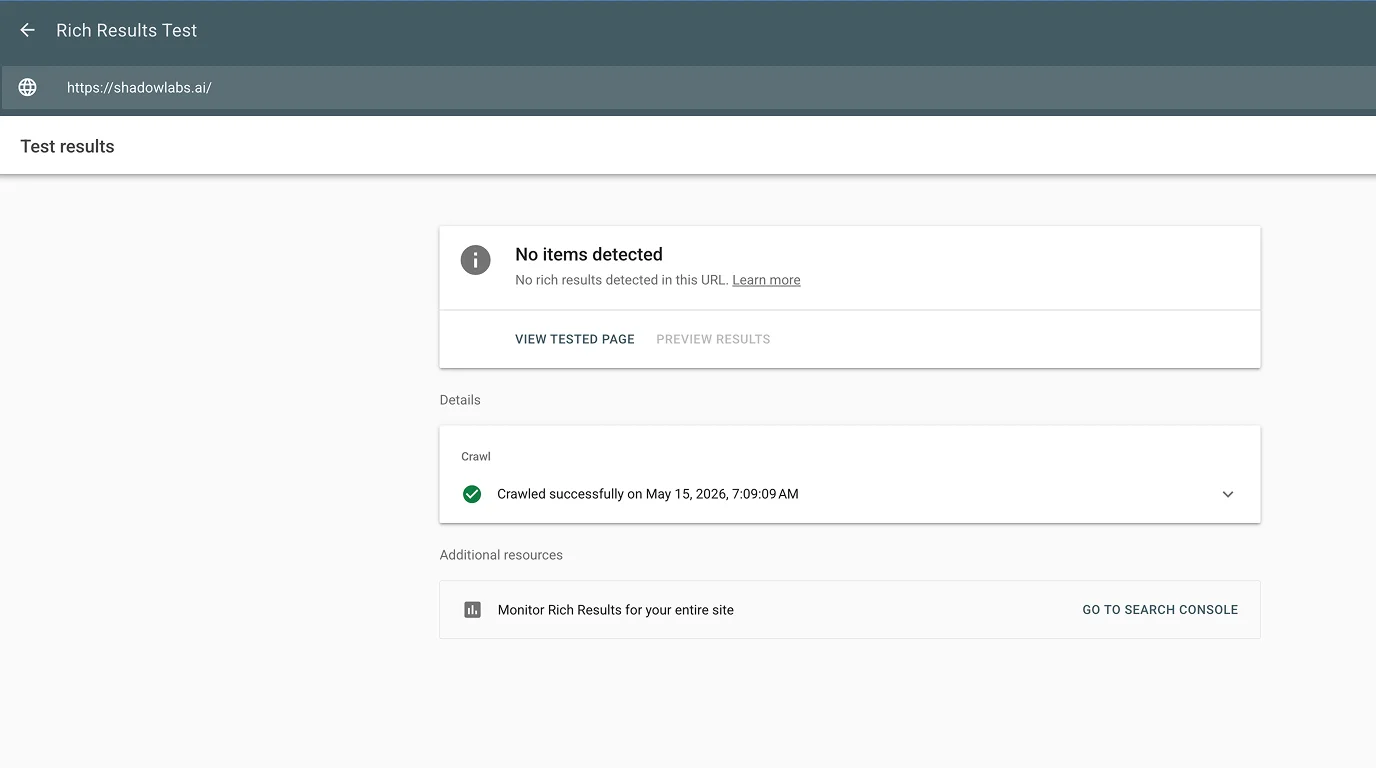
- Run your key pages through Google's Rich Results Test
- Check the source code for any JSON-LD blocks
How to fix
- Start with
OrganizationandWebSiteon all pages - Add
SoftwareApplicationorProductto product pages - Use
FAQPageon FAQ sections,Articleon blog posts - Add
BreadcrumbListfor internal navigation context
5. No Social Proof
A SaaS site that only talks about itself - without showing who actually uses it or what results they've gotten - creates doubt in the mind of a potential buyer.
Social proof doesn't require enterprise case studies. Even a few customer logos, short testimonials with real names and roles, a review count, or a simple "trusted by X teams" line reduces friction significantly. When a visitor is comparing three similar tools, this is often the tipping point.
How to check
- Walk through your top landing pages as a first-time visitor
- Check whether there's visible proof before the first CTA
- Look for testimonials, logos, ratings, or user counts
How to fix
- Add at least 3-5 customer quotes with names, roles, and company
- Include recognizable client logos where permission allows
- Place social proof above the fold or directly before the primary CTA
6. No Contact Information or Company Description
When a site has no About page, no team information, no contact email, and no legal details, it's hard for a first-time visitor to trust it with their data or money. For SaaS, where users connect workflows and pay recurring fees, this matters more than on most sites.
Google's Quality Rater Guidelines explicitly flag thin or absent "who is behind this" information as a trust signal issue. A missing About page and buried contact info weakens your E-E-A-T signals - and buyers notice it before Google does.
How to check
- Try to find a contact email, About page, and company info within two clicks from the homepage
- Check the footer for legal pages, social links, and contact options
How to fix
- Create a proper About page explaining who built the product and why
- Add a Contact page with at least one direct way to reach the team
- Include basic company info in the footer
7. Too Many JavaScript Files Slowing Down the Page
Modern SaaS marketing sites accumulate JavaScript over time: analytics, live chat, A/B testing tools, heatmaps, ad pixels, onboarding widgets. Each one adds weight. At some point the page becomes genuinely slow - especially on mobile.
Page speed is a confirmed ranking signal. More importantly, slow pages frustrate real users. If your landing page takes 4+ seconds to load on a mobile connection, a meaningful share of your audience bounces before seeing your product.
How to check
- Run your key pages through Google PageSpeed Insights
- Look at the waterfall chart - specifically which scripts block rendering and how long they take
How to fix
- Audit and remove scripts that aren't actively contributing value
- Defer or lazy-load non-critical JavaScript
- Keep marketing pages lean - your SaaS app can be complex, your landing pages shouldn't be
8. No Pricing Page or Visible Pricing Information
"[Product name] pricing" is one of the most searched queries for any SaaS product. People want to understand what they're committing to before booking a demo or starting a trial. When there's no pricing page - or pricing is buried behind a sales call - a portion of potential customers simply moves on.
From an SEO standpoint, a dedicated /pricing page targets high-intent commercial keywords directly. Skipping it means losing both traffic and conversions at the same time.
How to check
- Can you reach a pricing page within one click from the homepage?
- Search
site:yourdomain.com pricing- does a page appear?
How to fix
- Create a dedicated pricing page with plan tiers, key limits, and billing options
- Link to it from the main navigation and footer
- If exact pricing isn't possible, show a range or a "starting from" figure
9. No FAQ Section or FAQ Page
FAQ content serves two purposes at once: it closes common objections for buyers evaluating your product, and it creates an additional layer of useful, searchable content.
For SaaS, the most common buyer questions - about integrations, onboarding, support, security, and billing - often match real search queries almost word for word. A well-structured FAQ section also makes it easier for search engines and AI systems to extract direct answers and surface your pages in relevant results.
How to check
- Do your core landing and product pages have a FAQ section?
- Are the questions based on actual buyer concerns, or generic filler?
How to fix
- Pull 6-10 real questions from sales calls, demo recordings, and support tickets
- Add a FAQ block near the bottom of key product and pricing pages
- Use
FAQPageschema markup to make the content machine-readable
10. Missing robots.txt or sitemap.xml
These two files are basic infrastructure - but they're still missing or misconfigured on a surprising number of SaaS sites we reviewed.
robots.txt controls which parts of your site crawlers can access. A misconfigured file can accidentally block important sections from being indexed. sitemap.xml tells search engines which pages exist and which ones matter - without it, new or deeply nested pages may take much longer to get discovered.
How to check
- Visit
yourdomain.com/robots.txtandyourdomain.com/sitemap.xmldirectly - Check whether the sitemap is referenced inside robots.txt
- Submit your sitemap in Google Search Console and check for errors
How to fix
- Create a valid robots.txt with clear, intentional allow/disallow rules
- Generate a sitemap.xml containing only indexable pages
- Keep the sitemap updated as new pages are published
- Double-check that robots.txt isn't accidentally blocking JS or CSS files needed for rendering
Why These Mistakes Are So Common in SaaS
SaaS teams move fast. Engineering focus stays on the product. Frontend frameworks get heavier with every release cycle. A/B tests and campaign pages multiply quietly. Schema markup and canonical tags never make it onto anyone's sprint board.
The result is a technically fragile marketing site that looks polished on the surface but loses visibility over time - in Google, in AI-generated answers, and in buyer trust. None of the issues on this list require a full site rebuild. Most are fixable within days. But finding them requires actually looking.
Quick Audit Checklist
- Core page content is present in static HTML - not JS-only
- Every indexable page has a canonical tag
- Each page has exactly one H1 with a logical H2/H3 hierarchy
- Schema markup is implemented (Organization, Product, FAQ at minimum)
- Social proof is visible on key landing pages
- About and Contact pages exist and are easy to find
- Page load time is under 3 seconds on mobile
- A dedicated pricing page exists and is linked from navigation
- FAQ content is present on product and pricing pages
- robots.txt and sitemap.xml are configured correctly and submitted
Frequently Asked Questions
How long does it take to fix these issues?
Most of them can be addressed within a week if you have a developer available. Schema markup, canonical tags, and robots.txt are typically a few hours of work each. JavaScript rendering issues take the longest - SSR or SSG migrations can take days to weeks depending on your stack. We'd recommend starting with the critical items first: JS rendering, canonicals, and robots.txt/sitemap.
Do these issues affect all SaaS sites or only certain types?
We found them across the board - bootstrapped tools, funded startups, and established SaaS products alike. The pattern held regardless of company size. If anything, larger teams with more engineers tended to accumulate more JS weight and more fragmented page structures over time.
Does fixing technical SEO actually lead to more traffic?
It depends on the baseline. If your pages aren't being indexed correctly or your content isn't readable by crawlers, fixing that can produce noticeable traffic increases relatively quickly. If the technical foundation is already solid, improvements tend to be more gradual. In our experience, the biggest wins come from fixing JS rendering and adding schema markup - these two have the most direct impact on both search visibility and AI-generated answer coverage.
What's AI visibility and why does it matter for SaaS?
AI visibility refers to how likely your site is to be cited or referenced in answers generated by AI tools like ChatGPT, Perplexity, or Google's AI Overviews. These systems pull from the open web, but they prioritize content that's easy to parse: static HTML, clear structure, schema markup, and specific factual answers. For SaaS, this matters because buyers increasingly use AI tools to research and compare products before making a decision.
Should we fix all 10 issues at once or prioritize?
Start with the three critical ones: JS rendering, missing canonicals, and robots.txt/sitemap. These affect whether your pages get indexed at all. Once those are handled, move to schema markup and heading structure - they improve how your pages are understood. Social proof, contact info, FAQ, and pricing are equally important but operate more on the conversion and trust side rather than pure indexation.
We're on a platform like Webflow or Framer - do these issues still apply?
Yes, some of them. Webflow handles server-side rendering well, but schema markup and canonical tags still need to be set up manually per page. Framer sites can have JS-heavy output depending on how components are built. robots.txt and sitemap configuration also varies by platform and hosting setup - it's worth checking even if you're on a managed platform.