
 Website audit
 SEO audit
 Technical audit
 UX & Conversion audit
 AI/LLM Visibility audit
 Ecommerce audit
A UX audit reveals why people leave your site without converting, why bounce rate stays high despite decent traffic, or why a page that looked great in Figma performs poorly in production. "UX" covers everything from button placement to server response times - and most teams audit only the parts they already understand.
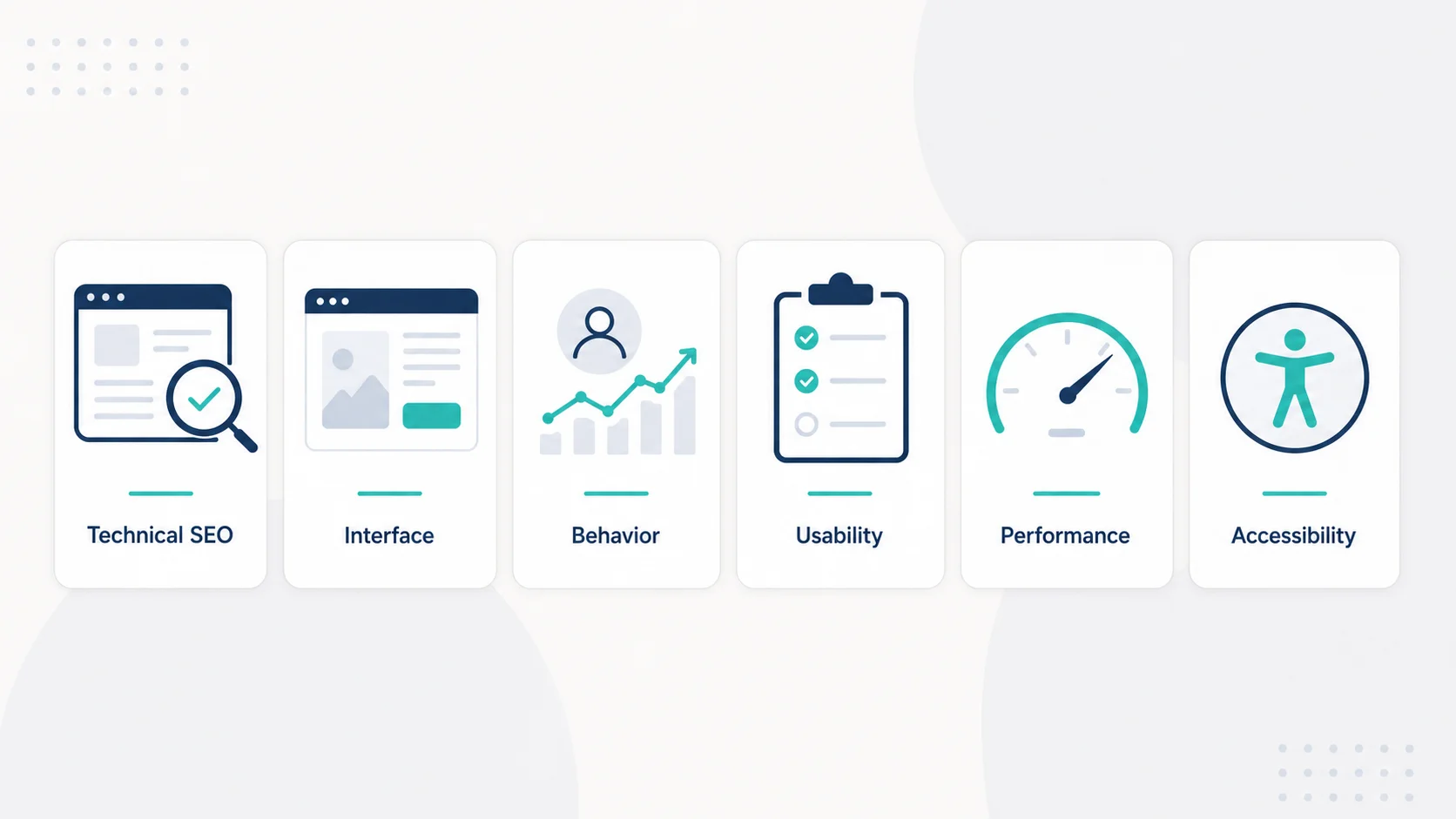
Below are the tools we use across the full audit stack: technical health, interface quality, performance, behavior, usability, and accessibility. The right combination depends on the project, but knowing what each tool does well makes that choice easier.
Technical & SEO Audit
Webaudits.dev
Most audits start with the visual layer. That tends to be a mistake. When a site has broken canonical tags, missing schema, or content that AI search systems cannot parse, fixing button styles changes nothing in the traffic numbers.
Webaudits.dev runs a technical and AI visibility audit on any URL - checking canonical structure, meta data, heading hierarchy, structured data, Open Graph tags, and page speed signals. It also evaluates how likely the site is to appear in AI-generated answers from ChatGPT, Perplexity, and Google AI Overviews. That last part matters more than most site owners realize. A growing share of product discovery happens through AI search, and the majority of sites have never been evaluated against those criteria.
We typically run webaudits.dev at the start of every audit engagement - before touching design, behavior, or usability. The scan is fast, the output is sorted by severity, and the recommendations are specific enough to act on immediately.
AI-Based Interface Analysis
Pixelait
For a UX design audit focused on interface quality, Pixelait analyzes UI from screenshots using AI - flagging font inconsistencies, contrast issues, visual hierarchy problems, and layout gaps. The advantage over manual review is objectivity: it has no attachment to the design it is evaluating and processes the full interface in seconds.
We find it most useful before a redesign or when inheriting a product with no prior documentation. The output gives designers and product managers specific, visual findings - which is far more actionable than "the design feels off." It fits well into the early stage of an audit before deeper behavioral analysis begins.
Behavioral Analytics
Hotjar
Hotjar shows what users do on pages: where they click, how far they scroll, where they rage-click, and where they leave. Heatmaps give aggregated patterns; session recordings show individual journeys.
The real value is in catching things nobody thought to test. A form field most users skip. A CTA that gets scrolled past because it blends into the background. A mobile layout where the navigation covers key content. Hotjar surfaces these patterns without requiring any hypothesis upfront. The free plan handles smaller sites; paid tiers add funnel analysis, surveys, and feedback widgets.
Microsoft Clarity
Clarity is free with no session limits and integrates directly with Google Analytics 4. For teams that don't need Hotjar's survey tools, Clarity covers the core behavioral layer - heatmaps, session recordings, and automatic flagging of rage clicks, excessive scrolling, and quick backs. On high-traffic sites, the unlimited free tier alone makes it the more practical default.
Usability Testing
Maze
Maze runs unmoderated usability tests on prototypes or live sites. You define the tasks, Maze collects completion rates, time-on-task, misclick rates, and qualitative responses from real users - without scheduling calls.
The Figma integration means you can test before building. Catching a confusing navigation pattern at prototype stage takes minutes to fix. Catching it after development is a different conversation. We use Maze when a project needs structured, quantitative usability data rather than gut reactions from team members who already know how the product works.
Useberry
Useberry handles first-click testing, five-second tests, and preference testing - which makes it better suited for early-stage questions. Does a user understand the value proposition within the first few seconds? Which homepage layout reads as more credible? Useberry answers those questions cleanly. Used alongside Maze, the two tools cover the full range from first impression to task completion.
Performance
PageSpeed Insights
Google's own tool, PageSpeed Insights is tied directly to Core Web Vitals that affect rankings. It scores LCP, CLS, INP, and FCP for both mobile and desktop, and flags the specific elements responsible. Running it only on the homepage is a common gap - landing pages, blog posts, and product pages each have different performance profiles and deserve separate checks.
GTmetrix
GTmetrix provides waterfall analysis showing which resources load, in what order, and how long each one takes. When PageSpeed flags a slow page but the cause stays unclear, GTmetrix usually pinpoints it. The historical tracking feature confirms whether an optimization actually worked or just shifted the problem elsewhere.
Accessibility
WAVE
WAVE checks against WCAG standards directly in the browser - missing alt text, poor contrast, incorrect heading order, unlabeled form inputs. Errors appear overlaid on the page, so the affected elements are visible at a glance. Accessibility problems affect screen reader users, people with low vision, and how search engines parse content. We run WAVE as a standard pass on every audit.
axe DevTools
axe DevTools is what most professional accessibility auditors use. The Chrome DevTools extension categorizes violations by severity and provides specific remediation guidance. For client-facing deliverables or projects with compliance requirements, axe produces more structured output than WAVE - the kind you can hand directly to a developer.
How to Structure the Workflow
Running these tools in the right order avoids wasted effort. Fixing what automated tools catch first means behavioral and usability analysis runs on a clean foundation - which makes that data more reliable and easier to act on.
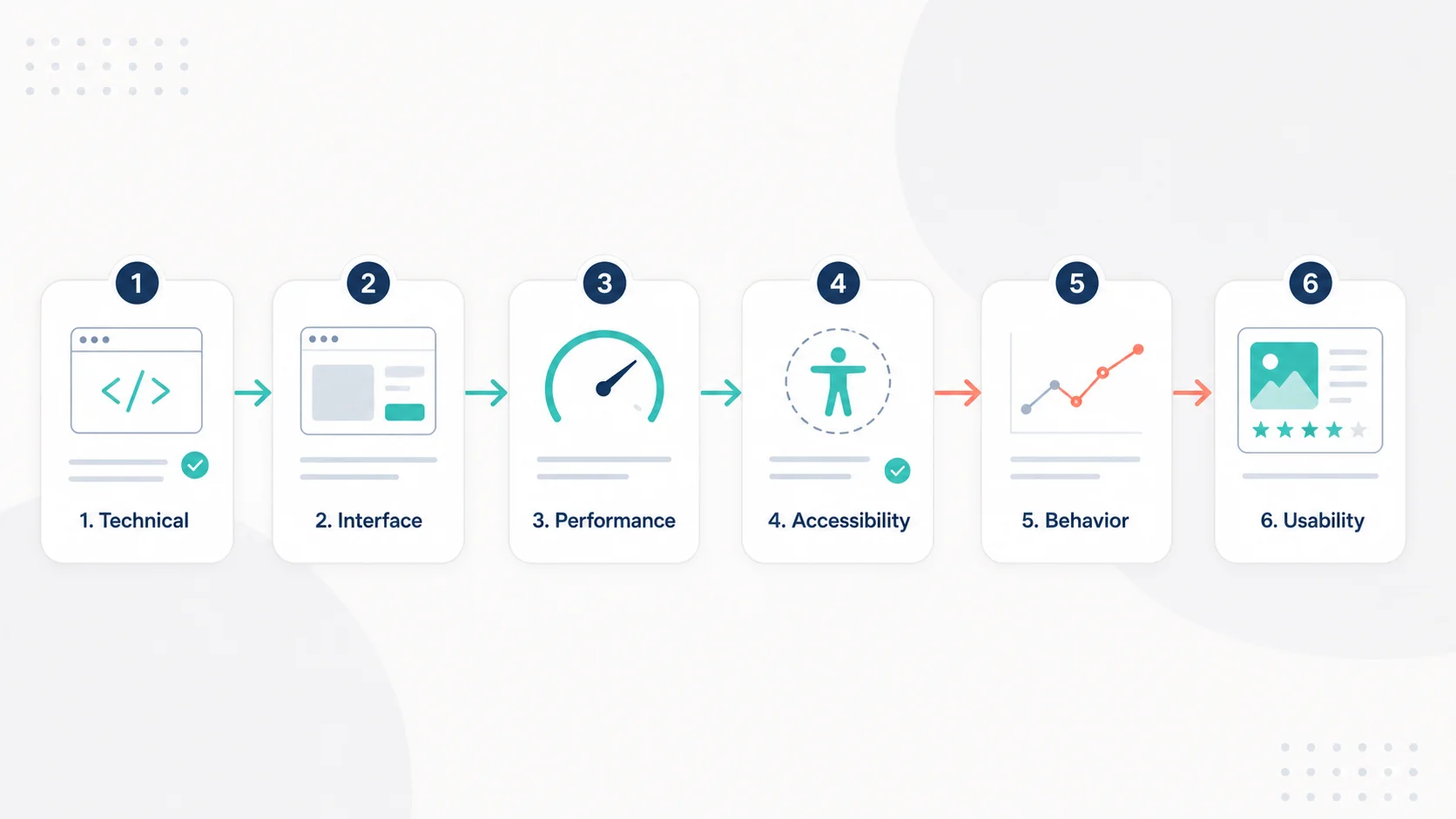
- Technical foundation - webaudits.dev for SEO, schema, and AI visibility
- Interface review - Pixelait for visual and UI quality
- Performance - PageSpeed Insights and GTmetrix on every key page
- Accessibility - WAVE or axe while already in the technical layer
- Behavioral data - Hotjar or Clarity running for at least a week before drawing conclusions
- Usability testing - Maze for task flows, Useberry for first impressions, informed by what behavioral data surfaced
When to Run a UX Design Audit
- Before a redesign, to document what actually needs fixing rather than what looks dated
- After a traffic or conversion drop, before attributing the cause to algorithm changes
- When onboarding a new client site for SEO or conversion work
- Before a product launch or major feature release
- When user feedback points to friction but lacks enough specificity to prioritize
Frequently Asked Questions
What does a UX design audit cover?
A thorough audit covers technical health (canonical tags, schema, page speed), interface quality (visual hierarchy, contrast, layout), usability (task completion, navigation clarity), behavior (click and drop-off patterns), and accessibility (WCAG compliance). Most audits focus on one or two areas. A full audit addresses all of them.
How long does a UX audit take?
A technical and interface audit can be completed in a few hours using automated tools. Behavioral analysis requires at least a week of data collection. A full audit including usability testing typically takes two to four weeks depending on scope and site complexity.
Can automated tools replace manual review?
Automated tools handle the repeatable, rule-based parts of an audit faster and more consistently than any reviewer. Manual work adds judgment - interpreting context, prioritizing in the right order, and catching what tools are not designed to find. The two complement each other.
What separates a UX audit from a technical SEO audit?
More than most people expect. Slow load times, broken structure, unclear content hierarchy, and missing schema markup all affect both user experience and search performance. Running both types of analysis in the same workflow surfaces the full picture without duplicating effort.
How often should a site be audited?
At minimum once a year or after any significant change to design, content, or infrastructure. For sites running paid traffic or in active growth, a lighter quarterly pass catches regressions before they compound.
Does a small site benefit from a UX audit?
Small sites often benefit more than large ones. Fewer resources means every wasted effort is more costly. A basic audit with free tools - webaudits.dev, PageSpeed Insights, Clarity, WAVE - takes a few hours and regularly surfaces issues that explain months of underperformance.